
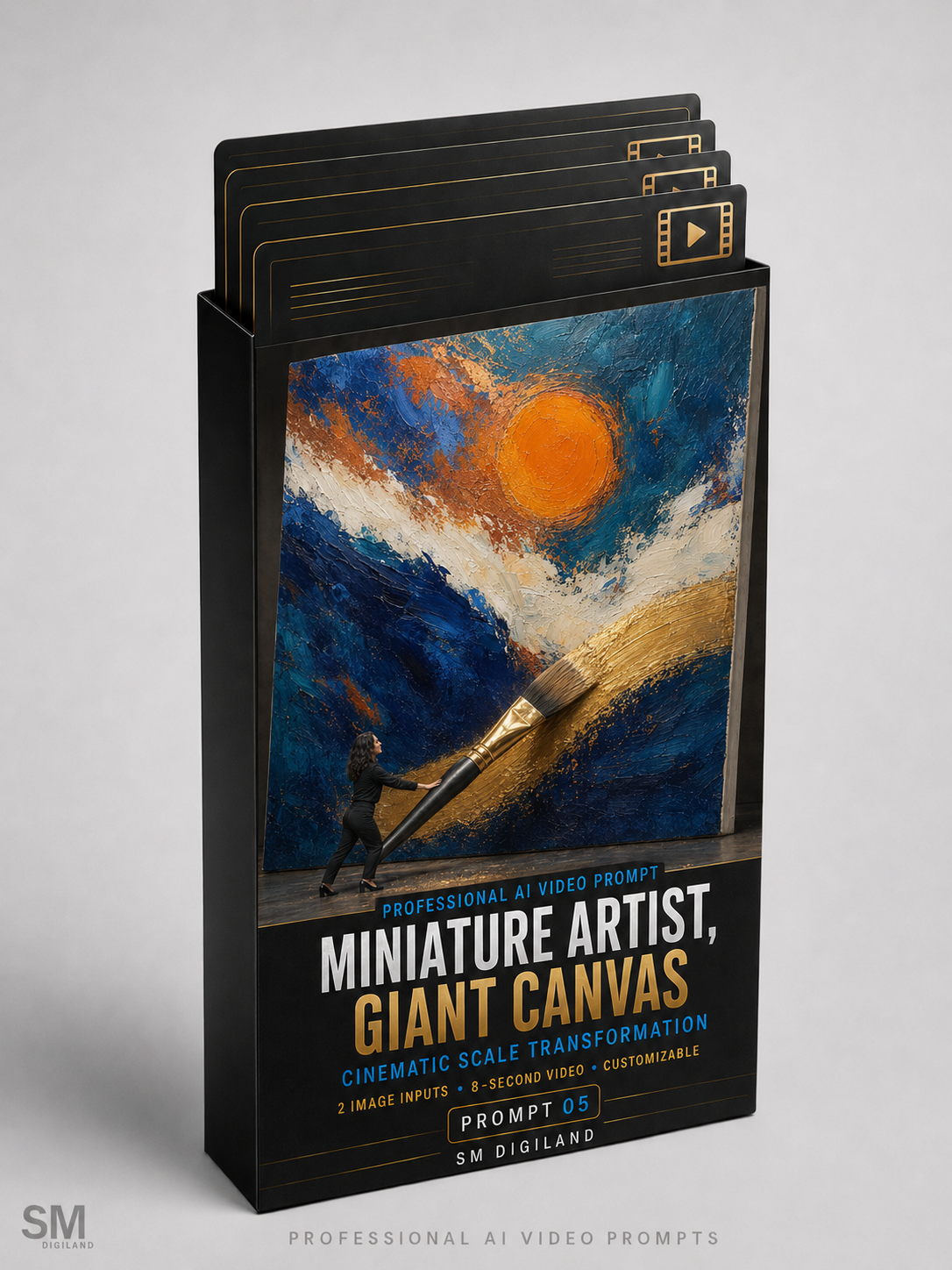


Make the Artist Tiny—and the Creative Moment Enormous
Turn an ordinary artist-and-artwork presentation into an imaginative cinematic story.
Miniature Artist, Giant Canvas is a professional AI video prompt designed to transform the same recognizable adult artist into a miniature version of themselves inside a realistic studio environment.
Using one full-body artist photograph and one image of the completed artwork, the prompt creates a continuous 8-second sequence. The artist begins at normal scale, smoothly shrinks to approximately 15 centimetres tall, handles an oversized professional paintbrush and completes one carefully selected section of the towering canvas.
The video ends with the miniature artist proudly presenting the fully completed masterpiece.
Watch the Example Video
The example video displayed on this product page was created using the included artist photograph, abstract artwork and completed sample prompt.
It demonstrates the artist shrinking beside a giant canvas, lifting a brush approximately three times taller than their miniature body and completing the final section of a metallic-gold brushstroke.
The example video is provided for demonstration purposes and is not included in the downloadable ZIP package.
How the Cinematic Sequence Works
- The artist appears at normal adult scale beside the enormous canvas.
- One carefully selected section of the artwork is temporarily shown as unfinished.
- The same artist smoothly and continuously shrinks while remaining fully visible.
- The canvas, brush, easel and studio remain at their original physical sizes.
- The miniature artist approaches and lifts the oversized paintbrush.
- Using controlled whole-body effort, the artist completes one finishing brushstroke.
- The newly painted area precisely reconstructs the selected section of the original artwork.
- The video ends with the tiny artist proudly presenting the completed giant canvas.
The Same Artist—Only Miniature
The prompt contains detailed identity-preservation instructions designed to maintain:
- The artist’s recognizable adult face
- Adult age and natural facial features
- Skin tone and body proportions
- Hairstyle and hair color
- Clothing, footwear and accessories
- Correct adult anatomy at miniature scale
- Natural hands, fingers, arms, legs and feet
- Stable frame-to-frame visual identity
The transformation is designed as a continuous physical reduction of the same adult person. The artist should not become a child, baby, doll, toy, fairy, figurine, cartoon character or different person.
There must be exactly one artist throughout the sequence. The prompt specifically prevents a normal-size version from remaining behind while a second miniature version appears.
Realistic and Consistent Scale
Only the artist changes size. The canvas, artwork, easel, paintbrush, paint tray, floor and surrounding environment remain at their original real-world dimensions.
Accurate perspective, camera height, parallax, contact shadows and depth of field are used to communicate the new scale. This makes the artist appear genuinely miniature inside an unchanged physical studio rather than making the room or canvas artificially grow.
The camera smoothly lowers and moves closer during the transformation so the artist’s identity and actions remain visible even at miniature scale.
One Giant Brush—Without Tool Duplication
The video uses exactly one professional paintbrush before and after the artist shrinks.
The brush does not grow or transform. It appears enormous only because the artist has become miniature. Detailed prompt instructions are included to preserve:
- The brush’s original dimensions
- Handle material and color
- Ferrule and bristle shape
- Paint color and texture
- Correct brush-to-artist scale
- Believable weight and physical movement
- Realistic contact between the bristles and canvas
The miniature artist uses both hands, stable foot placement and coordinated whole-body effort to guide the oversized tool. The brush must not move independently, float, become weightless or pass through the artist or canvas.
Designed to Preserve the Original Artwork
The uploaded artwork is treated as the exact final-state reference, not loose visual inspiration.
The prompt is designed to preserve:
- The artwork’s complete composition and crop
- Original proportions and orientation
- Colors and color relationships
- Artistic medium and technique
- Brushwork, mark-making and texture
- Secondary elements and background details
- Fine surface characteristics
- Any clearly visible existing signature
At the beginning, only one precisely described section is temporarily shown as unfinished. Every other area of the artwork remains unchanged and motionless.
During the painting action, the miniature artist reconstructs that selected section until the full artwork matches the completed reference image again.
Realistic Paint and Contact Physics
The prompt includes detailed instructions for realistic interaction between the giant brush and the canvas:
- Bristles flex naturally under pressure
- Paint transfers progressively during movement
- Texture follows the direction of the brushstroke
- Paint color and material match the uploaded artwork
- The new section connects seamlessly to the existing element
- No random marks, splashes or unrelated colors are added
- The brush leaves the canvas cleanly after completing the stroke
The paint remains limited to the intended target area and should not transfer onto the artist, clothing, floor, easel or other parts of the artwork.
One Continuous 8-Second Shot
The entire story is designed as one uninterrupted cinematic sequence:
- 0.0–1.4 seconds: Normal-scale artist and giant canvas introduction
- 1.4–2.7 seconds: Smooth continuous shrinking transformation
- 2.7–3.7 seconds: Lifting and positioning the oversized brush
- 3.7–6.1 seconds: One controlled finishing brushstroke
- 6.1–7.0 seconds: Artwork completion and miniature artist reaction
- 7.0–8.0 seconds: Giant-canvas hero reveal
The prompt avoids cuts, replacement frames, split screens, sudden angle changes and hidden transformations.
What You Will Receive
Your downloadable ZIP package contains five files:
1. Sample Artist Reference Image
A clean, full-body artist photograph prepared for testing the transformation and identity-preservation instructions.
2. Sample Abstract Artwork Reference
A vertical 3:4 abstract artwork featuring a clearly defined metallic-gold finishing element suitable for one giant brushstroke.
3. Completed Sample Prompt
A fully completed and ready-to-test prompt using the included artist and abstract artwork images.
4. Professional Master Prompt
The complete advanced prompt covering artist identity, continuous shrinking, scale consistency, artwork fidelity, giant-brush physics, painting action, cinematography, lighting, audio and strict negative constraints.
5. Customizable Variables Guide
A detailed guide explaining all 28 editable variables, recommended default values, alternative examples and professional customization tips.
28 Customizable Variables
Customize every important part of the sequence:
- Environment
- Background style
- Opening scene layout
- Artwork display method
- Canvas orientation
- Canvas physical height
- Miniature artist height
- Paintbrush appearance
- Paintbrush length
- Brush starting position
- Target painted element
- Temporarily unfinished section
- Appearance beneath the missing paint
- Paint material
- Brushstroke action
- Shrinking effect
- Transformation accent color
- Artist’s opening action
- Brush-handling method
- Artist’s effort expression
- Final artist expression
- Final hero composition
- Continuous camera plan
- Lighting style
- Video mood
- Sound design
- Aspect ratio
- Intended publishing platform
Best-Suited Artworks
This prompt works best when the completed artwork contains one simple, clearly defined element that can be finished using a single continuous brush movement, such as:
- The final section of a broad abstract brushstroke
- The outer curve of an ocean wave
- A bold sweep of color across the lower canvas
- The outer petals of one large flower
- A short section of a mountain ridge or horizon
- One connected calligraphic curve without readable text
- A luminous path, ribbon or arc
- A simple section of thick impasto texture
For the most reliable result, select an element positioned in the lower half or near one side of the artwork.
Artwork to Avoid
The painting action may be less reliable when the selected section contains:
- A human face or detailed portrait feature
- Hands or complex anatomy
- A signature or readable text
- Intricate architecture
- Several disconnected details
- Multiple paint colors requiring different tools
- A target positioned too high for the miniature artist to reach
Simple finishing elements using one brush and one paint material generally create the clearest result.
How to Use
- Download and extract the ZIP package.
- Prepare one clear, high-resolution full-body artist photograph.
- Prepare one straight-on image of the completed artwork.
- Select one simple painted element suitable for a single finishing stroke.
- Define the exact section that should appear temporarily unfinished.
- Open the Customizable Variables Guide.
- Replace all 28 variables inside the Professional Master Prompt.
- Upload the artist photograph as the first Ingredient in Google Flow.
- Upload the completed artwork as the second Ingredient.
- Select Gemini Omni Flash and an 8-second duration.
- Paste the completed prompt and generate the video.
Recommended Google Flow Settings
- Platform: Google Flow
- Model: Gemini Omni Flash
- Mode: Video → Ingredients
- Duration: Exactly 8 seconds
- Aspect Ratio: 9:16 vertical
- Number of Outputs: 1x for the first generation
- First Ingredient: Full-body artist reference photograph
- Second Ingredient: Completed artwork reference image
The prompt may be adapted for other image-to-video platforms that support multiple visual references. However, its timing and structure are optimized for Gemini Omni Flash in Google Flow.
Preparing the Artist Photograph
For the best results, use an image containing:
- One adult artist only
- The complete body from head to feet
- A clearly visible and unobstructed face
- Both hands, arms, legs and feet visible
- A natural standing position
- Comfortable, movement-friendly clothing
- Clear separation between the body and background
- A clean or uncluttered background
- No canvas, brush, easel or large prop
- No mirror or reflection that could create a duplicate person
Preparing the Artwork Image
For the best results, use:
- A high-resolution photograph or clean digital export
- A straight-on view with minimal perspective distortion
- The complete finished artwork
- The artwork’s true proportions and orientation
- Accurate colors and visible surface texture
- Minimal glare, reflections and shadows
- One clearly defined finishable element
- A target section located near the lower half or side edge
- Enough visual space around the selected element
Who Is This Product For?
- Painters and visual artists
- Abstract and contemporary artists
- Illustrators and mixed-media artists
- Galleries and exhibition organizers
- Artist managers and representatives
- Creative agencies
- Art-marketing professionals
- Social media content creators
- Video creators working with AI
- Brands collaborating with artists
Ideal Uses
- Artwork launch videos
- Artist introduction Reels
- Gallery and exhibition promotion
- Art-fair campaigns
- Artist portfolio presentations
- Personal-branding content
- Social media advertisements
- Creative process storytelling
- Website hero videos
- Digital press kits
Important Requirements
This is a downloadable digital prompt product. It does not include access to Google Flow, Gemini Omni Flash or any other third-party AI platform.
AI video generation may require free or paid credits depending on the selected platform and subscription.
Results may vary according to the quality of the reference images, complexity of the artwork, selected finishing element, model version and generation settings. Complex transformations or highly detailed painting actions may require more than one generation.
Commercial Usage License
You may use videos created with this prompt for:
- Your own artistic brand
- Commercial social media content
- Gallery and exhibition promotion
- Client projects
- Advertising campaigns
- Portfolio and website content
- Freelance and agency services
You may not:
- Resell or redistribute the original prompt
- Share the downloadable ZIP package
- Publish the complete Master Prompt publicly
- Include the prompt in another digital product
- Offer the original files as a free or paid download
Make Creativity Larger Than Life
Show more than a completed painting. Transform the artist’s creative process into a cinematic miniature adventure designed for exhibitions, portfolios and social media.
Upload the artist and artwork images, customize the transformation and create your Miniature Artist, Giant Canvas video today.


Reviews
There are no reviews yet.