
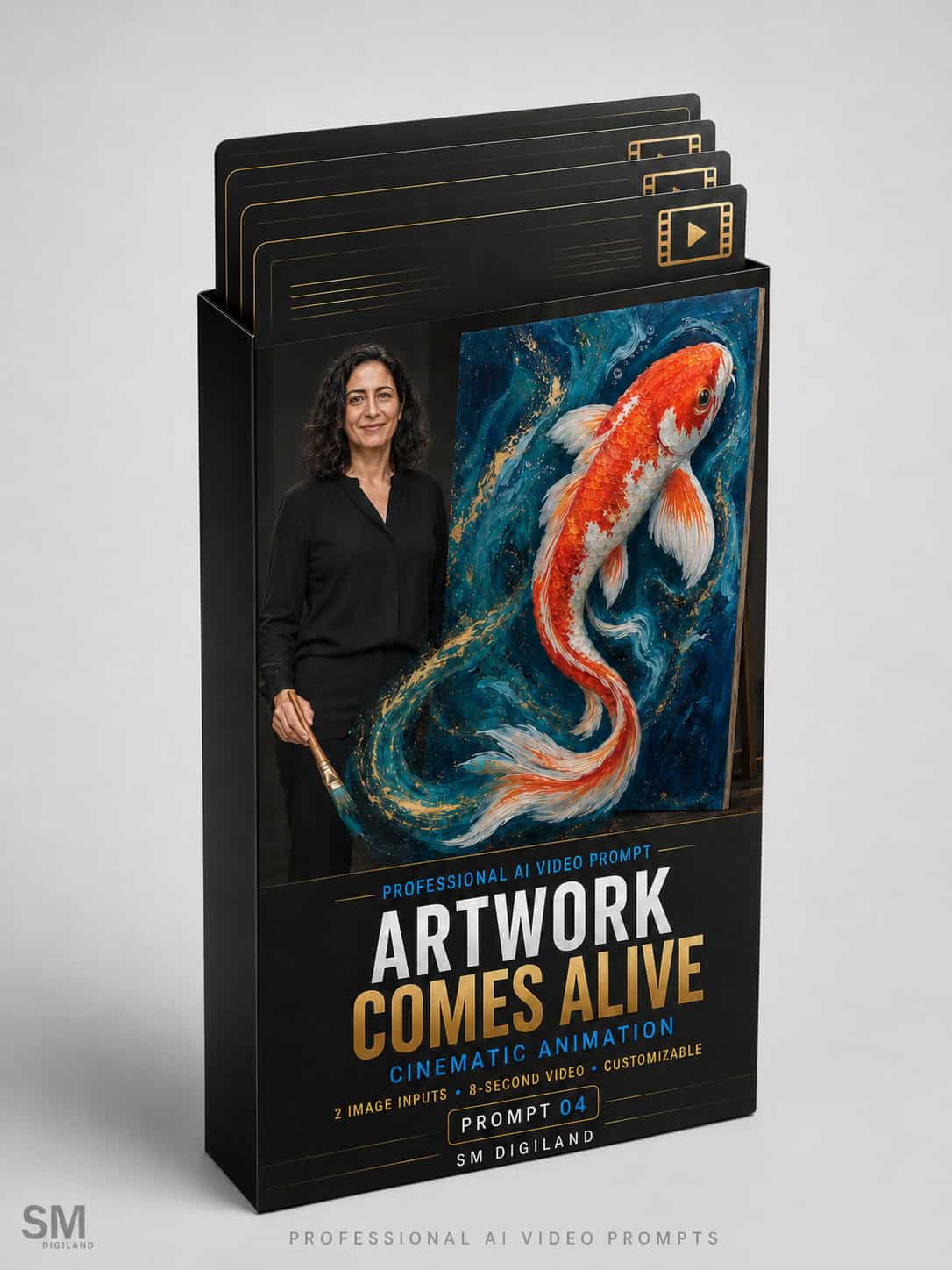


Bring a Painted Subject Beyond the Canvas
Transform an artist’s original artwork into a magical cinematic experience in which one selected painted subject comes alive.
Using two reference images—a full-body photograph of the artist and a clear image of the artwork—this professional AI video prompt creates one uninterrupted 8-second sequence. The selected subject awakens, emerges from the painted surface, moves gracefully around the artist and returns to its exact original position inside the artwork.
The final scene presents the artist proudly beside the completely restored masterpiece.
Watch the Example Video
The example video displayed on this product page demonstrates the result created using the included artist photograph, koi artwork and completed sample prompt.
The example video is provided for demonstration purposes and is not included in the downloadable ZIP package.
How the Cinematic Sequence Works
- The artist and complete original artwork are introduced together.
- One selected painted subject begins to awaken.
- The same subject progressively gains dimensional depth and leaves the artwork.
- It completes one elegant, controlled orbit around the artist.
- The artist follows its movement with a natural and restrained reaction.
- The subject returns to its exact original position, orientation and scale.
- The artwork is fully restored without holes, damage or missing details.
- The video ends with a premium artist-and-artwork hero composition.
One Subject—Without Unwanted Duplicates
One of the most difficult challenges in this type of AI-generated video is preventing the animated subject from being duplicated.
The Professional Master Prompt contains detailed transfer logic designed to ensure that only one version of the selected subject exists. When the subject leaves the artwork, another complete version should not remain painted on the canvas. When it returns, no second version should remain outside.
The prompt also instructs the model to reconstruct the temporarily exposed section using the artwork’s existing background, texture and brushwork rather than creating a hole, dark portal or damaged canvas.
Designed to Preserve the Artist
The prompt contains detailed consistency instructions designed to preserve:
- The artist’s recognizable facial identity
- Age and natural facial features
- Skin tone and body proportions
- Hairstyle and hair color
- Clothing, footwear and accessories
- Correct hands, fingers, arms and legs
- Natural posture and physically believable movement
- Frame-to-frame visual consistency
The artist remains safely balanced and performs only small, natural reactions while the living subject moves through the scene.
Designed to Preserve the Original Artwork
The uploaded artwork is treated as the exact visual reference rather than loose inspiration. The prompt is designed to preserve:
- The original composition and crop
- Canvas proportions and orientation
- Original colors and color relationships
- Artistic medium and technique
- Brushwork, mark-making and surface texture
- Secondary subjects and background details
- The selected subject’s recognizable features
- Any clearly visible existing signature
Only the specifically selected subject is animated. All other subjects, patterns, textures and background elements remain unchanged and motionless.
Preserve the Artwork’s Creative Style
The subject does not need to become an unrelated photorealistic creature. Its dimensional form can retain the exact artistic language of the original artwork.
The prompt can be customized for:
- Oil-paint and acrylic textures
- Watercolor washes and pigment edges
- Impasto and sculptural brushstrokes
- Charcoal and graphite mark-making
- Ink and flowing linework
- Digital illustration
- Mixed-media artwork
- Photorealistic paintings
Suitable Subjects
This prompt works best with one clear, visually dominant subject, such as:
- Koi fish and other aquatic subjects
- Birds, butterflies and insects
- Horses, tigers, deer and other animals
- Dragons, phoenixes and fantasy creatures
- A single painted person or illustrated character
- Flowers, leaves and botanical subjects
- Musical instruments and symbolic objects
- Boats, masks and other recognizable forms
Artwork containing several similar or tightly overlapping subjects may require more precise variable descriptions or additional generations.
What You Will Receive
Your downloadable ZIP package includes five files:
1. Sample Artist Reference Image
A clean full-body artist photograph prepared for testing the prompt and cinematic composition.
2. Sample Koi Artwork Reference
A professionally prepared artwork image containing one clearly identifiable subject for the emergence and orbit sequence.
3. Completed Sample Prompt
A fully completed, ready-to-test prompt using the included artist and koi artwork images.
4. Professional Master Prompt
The complete advanced prompt with detailed instructions covering reference priority, artist identity, artwork fidelity, subject transfer, emergence, movement, re-entry, camera direction, lighting, audio and strict negative constraints.
5. Customizable Variables Guide
A detailed guide covering all 24 editable variables, recommended defaults, alternative examples and professional customization tips.
24 Customizable Variables
Control every important part of the video by customizing:
- Living subject
- Subject’s defining visual identity
- Dimensional artistic style
- Subject size
- Movement style
- Orbit direction
- Orbit path
- Emergence effect
- Movement-trail effect
- Gallery, studio or exhibition environment
- Background style
- Artist-and-artwork scene layout
- Artwork display method
- Canvas orientation
- Primary accent color
- Secondary accent color
- Artist’s reaction
- Final artist expression
- Final hero composition
- Camera lens
- Video mood
- Sound design
- Aspect ratio
- Intended publishing platform
How to Use
- Download and extract the ZIP package.
- Prepare one clear, high-resolution full-body artist photograph.
- Prepare one straight-on image of the complete artwork.
- Identify the one specific subject that should come alive.
- Open the Customizable Variables Guide.
- Replace all variables inside the Professional Master Prompt.
- Upload the artist photograph as the first Ingredient in Google Flow.
- Upload the artwork image as the second Ingredient.
- Select Gemini Omni Flash and an 8-second duration.
- Paste the customized prompt and generate the video.
Recommended Google Flow Settings
- Platform: Google Flow
- Model: Gemini Omni Flash
- Mode: Video → Ingredients
- Duration: Exactly 8 seconds
- Aspect Ratio: 9:16 vertical
- Number of Outputs: 1x for the first generation
- First Ingredient: Artist reference photograph
- Second Ingredient: Artwork reference image
The prompt may be adapted for other image-to-video platforms that support multiple visual references. However, its structure and timing are optimized for Gemini Omni Flash in Google Flow.
Preparing the Artist Photograph
For the best results, use an image containing:
- One adult artist only
- A clearly visible and unobstructed face
- The artist’s complete body
- Both hands and arms fully visible
- Both feet visible
- A natural standing position
- Simple, movement-friendly clothing
- A clean or uncluttered background
- No canvas, animal or large prop already in the photograph
Preparing the Artwork Image
For the best results, use:
- A high-resolution photograph or digital export
- A straight-on view with minimal perspective distortion
- The complete artwork with its true proportions
- Accurate colors and visible texture
- Minimal glare, reflections and shadows
- One clearly identifiable main subject
- Enough background space around the selected subject
- No person or object blocking the artwork
Who Is This Product For?
- Painters and visual artists
- Illustrators and digital artists
- Mixed-media artists
- Portrait and figurative artists
- Wildlife and botanical artists
- Galleries and exhibition organizers
- Artist managers and representatives
- Creative agencies
- Art-marketing professionals
- Social media content creators
Ideal Uses
- Artwork launch videos
- Artist introduction Reels
- Gallery and exhibition promotion
- Art-fair campaigns
- Artist portfolio presentations
- Personal-branding content
- Social media advertising
- Digital press kits
- Website hero videos
- Creative open-call announcements
Important Requirements
This is a downloadable digital prompt product. It does not include access to Google Flow, Gemini Omni Flash or any other third-party AI platform.
AI video generation may require free or paid credits depending on the selected platform and subscription.
AI-generated results may vary according to the reference images, artwork complexity, selected subject, model version and platform settings. Videos containing complex human figures, several similar subjects or highly detailed motion may require more than one generation.
Commercial Usage License
You may use videos created with this prompt for:
- Your own artistic brand
- Commercial social media content
- Gallery and exhibition promotion
- Client projects
- Advertising campaigns
- Portfolio and website content
- Freelance and agency services
You may not:
- Resell or redistribute the original prompt
- Share the downloadable ZIP package
- Publish the complete Master Prompt publicly
- Include the prompt in another digital product
- Offer the original files as a free or paid download
Let the Artwork Tell Its Own Story
Go beyond simply displaying a completed painting. Give its most important subject a moment of life, movement and cinematic presence before returning it safely to the artist’s original masterpiece.
Upload the artist and artwork images, select the subject and bring the painting to life today.


Reviews
There are no reviews yet.