
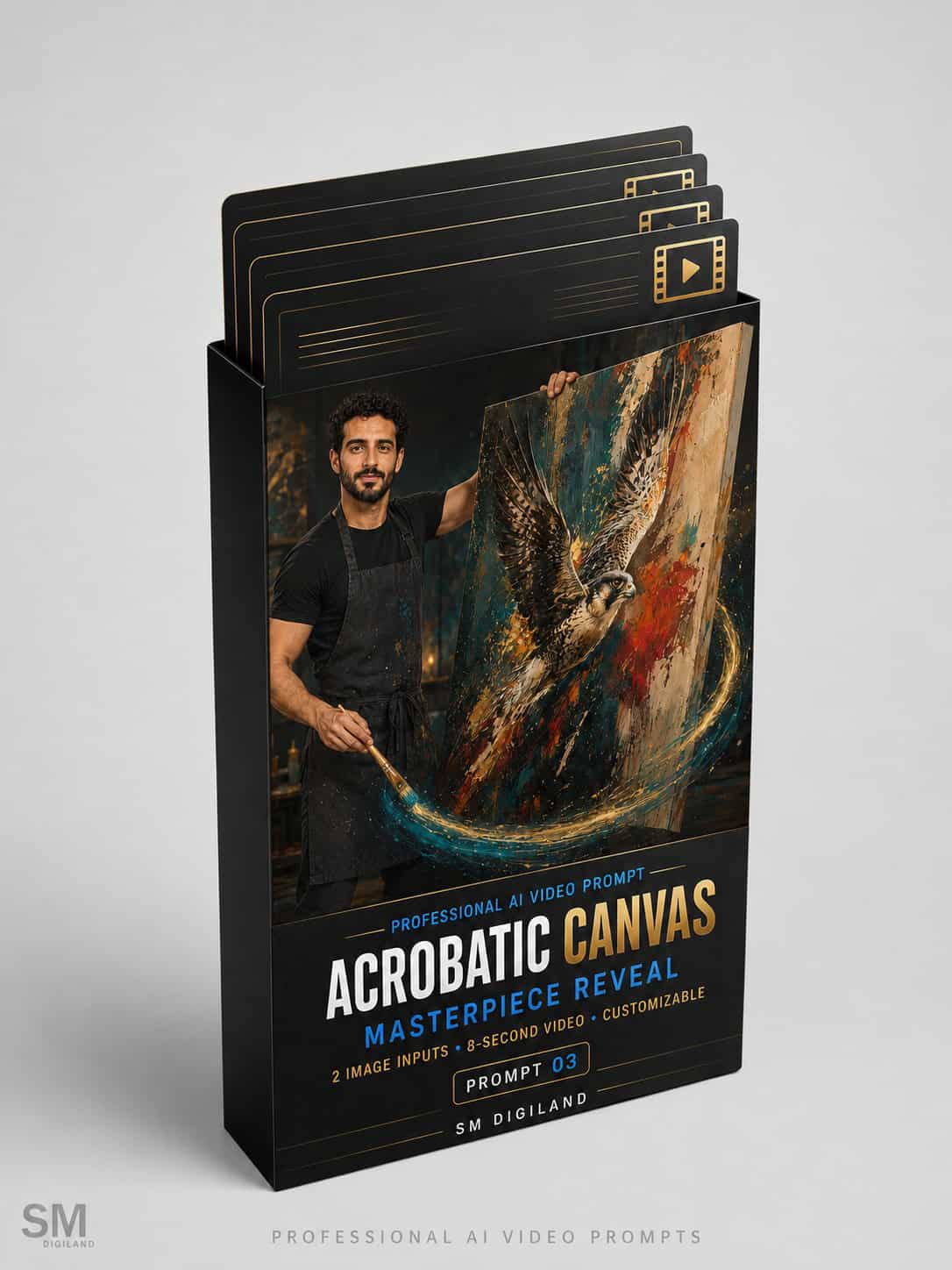


Turn an Artist and Artwork into a Cinematic Performance
Create a dynamic artist-branding video using two reference images: a photograph of the artist and a photograph of the artist’s original artwork.
This advanced image-to-video prompt directs the artist through a carefully choreographed 8-second performance. The artist controls a lightweight canvas with one hand, holds a professional paintbrush in the other and performs a sequence of smooth canvas spins and artistic movements.
The performance ends with the artist catching the canvas and turning its painted front toward the audience, revealing the supplied artwork in a polished final hero shot.
Watch the Example Video
The example video displayed on this product page demonstrates the type of cinematic result that can be created using the included artist image, artwork reference and completed sample prompt.
The example video is provided for demonstration purposes and is not included in the downloadable ZIP package.
What This Prompt Creates
- A cinematic full-body introduction of the artist
- A controlled one-handed 360-degree canvas rotation
- An elegant circular canvas flourish
- Synchronized paintbrush movement
- Customizable paint and particle trails
- Realistic canvas weight and momentum
- A controlled final catch and canvas turn
- A clear reveal of the artist’s original artwork
- A premium artist-and-artwork hero shot
- Synchronized cinematic sound design
Acrobatic Style Without Dangerous Stunts
The choreography is designed to look dynamic and skillful while keeping the artist safely balanced with both feet on the floor.
The prompt specifically avoids dangerous body flips, jumps, handstands and physically impossible movements. Instead, it creates an elegant object-manipulation performance based on controlled canvas spins, coordinated brush gestures and natural body movement.
Designed to Preserve the Artist
The master prompt includes detailed consistency instructions designed to help preserve:
- The artist’s facial identity
- Age and natural facial features
- Hairstyle and facial hair
- Skin tone and body proportions
- Clothing and accessories
- Correct hands and fingers
- Consistent canvas and brush placement
- The selected canvas and brush hands
- Frame-to-frame visual consistency
Designed to Preserve the Artwork
The supplied artwork is treated as the exact visual reference for the painted front of the canvas.
The prompt includes instructions designed to preserve:
- The original subject and composition
- Artwork orientation and proportions
- Original colors and color relationships
- Artistic medium and technique
- Brushwork and surface texture
- Recognizable visual details
- Existing signatures, when clearly visible
The artwork remains hidden or naturally motion-blurred during the canvas movements and becomes fully visible during the final presentation.
What You Will Receive
Your instant ZIP download includes five files:
1. Sample Artist Reference Image
A clean, full-body artist photograph prepared for testing the canvas choreography.
2. Sample Artwork Reference Image
A professionally prepared artwork image used for the final masterpiece reveal.
3. Completed Sample Prompt
A fully completed and ready-to-test version demonstrating how the variables should be filled in.
4. Professional Master Prompt
The complete multi-stage prompt containing detailed instructions for artist identity, artwork fidelity, canvas choreography, hand consistency, camera movement, lighting, sound design and final presentation.
5. Customizable Variables Guide
A detailed guide explaining every editable field, recommended default settings, alternative options and professional customization tips.
How to Use
- Download and extract the ZIP package.
- Prepare one clear full-body photograph of the artist.
- Prepare one straight-on photograph of the complete artwork.
- Open the Customizable Variables Guide.
- Replace the variables inside the Professional Master Prompt.
- Upload the artist image as the first Ingredient in Google Flow.
- Upload the artwork image as the second Ingredient.
- Select Gemini Omni Flash and an 8-second duration.
- Paste the customized master prompt.
- Generate the video and refine the result if necessary.
Recommended Google Flow Settings
- Platform: Google Flow
- Model: Gemini Omni Flash
- Mode: Video → Ingredients
- Duration: 8 seconds
- Aspect Ratio: 9:16 vertical
- Number of Outputs: 1x for the first generation
- First Ingredient: Artist photograph
- Second Ingredient: Artwork photograph
The prompt may also be adapted for other image-to-video platforms that support multiple visual references. However, its structure and timing are optimized for Gemini Omni Flash in Google Flow.
Customizable Creative Options
The included Variables Guide allows you to customize:
- Which hand controls the canvas
- Which hand holds the paintbrush
- Gallery, studio or exhibition environment
- Background style
- Accent-light colors
- Canvas size and orientation
- Paintbrush design
- Paint-trail effect
- Performance energy and style
- Final artist expression
- Final artist-and-artwork composition
- Camera lens
- Video mood
- Sound design
- Aspect ratio and intended platform
Who Is This Product For?
- Painters and visual artists
- Portrait and figurative artists
- Abstract artists
- Contemporary artists
- Digital and mixed-media artists
- Galleries and exhibition organizers
- Artist managers and representatives
- Creative agencies
- Social media content creators
- Art marketing professionals
Ideal Uses
- Artist introduction Reels
- Artwork launch videos
- Gallery and exhibition promotion
- Artist portfolio presentations
- Art-fair campaigns
- Social media advertising
- Personal-branding content
- Open-call announcements
- Website and digital portfolio videos
Important Requirements
This is a downloadable digital prompt product. It does not include access to Google Flow, Gemini Omni Flash or any other third-party AI platform.
AI video generation may require free or paid credits depending on the selected platform and subscription.
For the best results, use a clear full-body artist photograph with both hands and feet visible. The artwork should be photographed directly from the front with accurate colors and minimal glare.
AI-generated results may vary based on the reference images, model version, platform settings and current limitations of generative video technology. Complex hand and object movements may occasionally require more than one generation.
Commercial Usage License
You may use videos created with this prompt for:
- Your own artistic brand
- Commercial social media content
- Gallery and exhibition promotion
- Client projects
- Advertising campaigns
- Portfolio and website content
- Freelance and agency services
You may not:
- Resell or redistribute the original prompt
- Share the downloadable ZIP package
- Publish the complete master prompt publicly
- Include the prompt in another digital product
- Offer the original files as a free or paid download
Make the Artwork Reveal Unforgettable
Present more than the completed artwork. Create a dynamic visual performance that introduces the artist, captures attention and ends with a memorable masterpiece reveal.
Upload the artist and artwork images, customize the performance and create your cinematic canvas reveal today.


Reviews
There are no reviews yet.